Third-Party Campaign Reporting
The page guides user on the steps to update and view data for third-party campaigns
Overview
The third-party campaign reporting feature allows AdOps users to integrate and update data for campaigns running on external platforms outside POKKT. This enables all internal teams to access both internal and external campaign data within a single, unified POKKT dashboard, streamlining campaign tracking and reporting.
Advantages
-
Unified Reporting & End-to-End Tracking: Consolidates data from internal and external campaigns into a single dashboard, providing comprehensive visibility for all teams. This enhances efficiency and ensures seamless end-to-end tracking of campaign performance.
-
Data Version Control: Ensures accuracy and consistency across all campaign data entries with version control, allowing teams to track updates and maintain data integrity over time.
-
Improved Financial Reporting: Simplifies financial reconciliation and reporting by aggregating all third-party and internal campaign data, reducing manual work and potential errors.
Step-by-step Instructions
-
Go to https://pokkt.com/login.html (opens in a new tab) and log in with your Admin credentials.
-
Locate the "Manage Content" section in the left navigation bar and select "Third Party Campaigns".
-
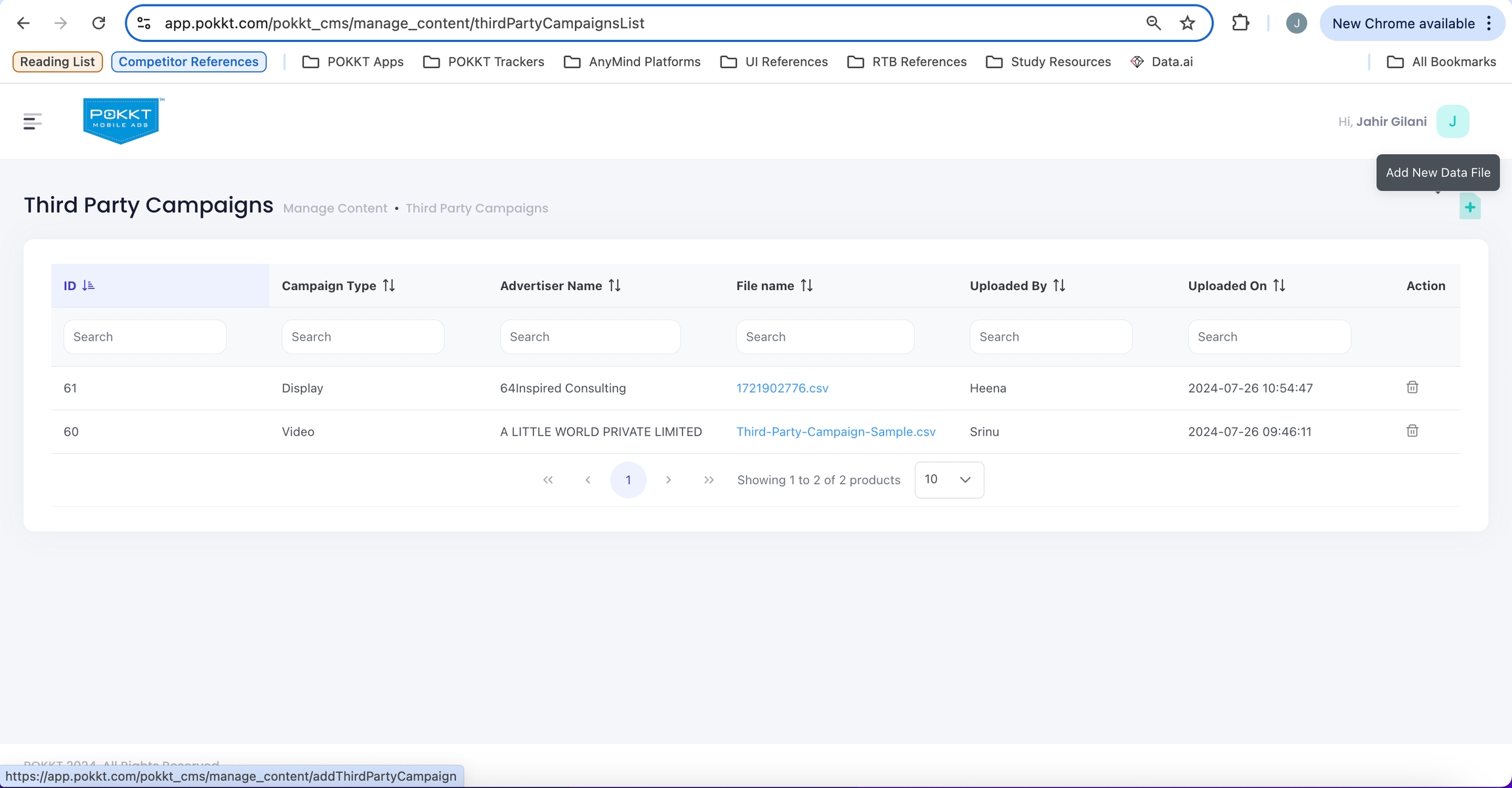
On the "Third Party Campaigns" page, click on "Add New Data File" to access upload third party campaigns data.
-
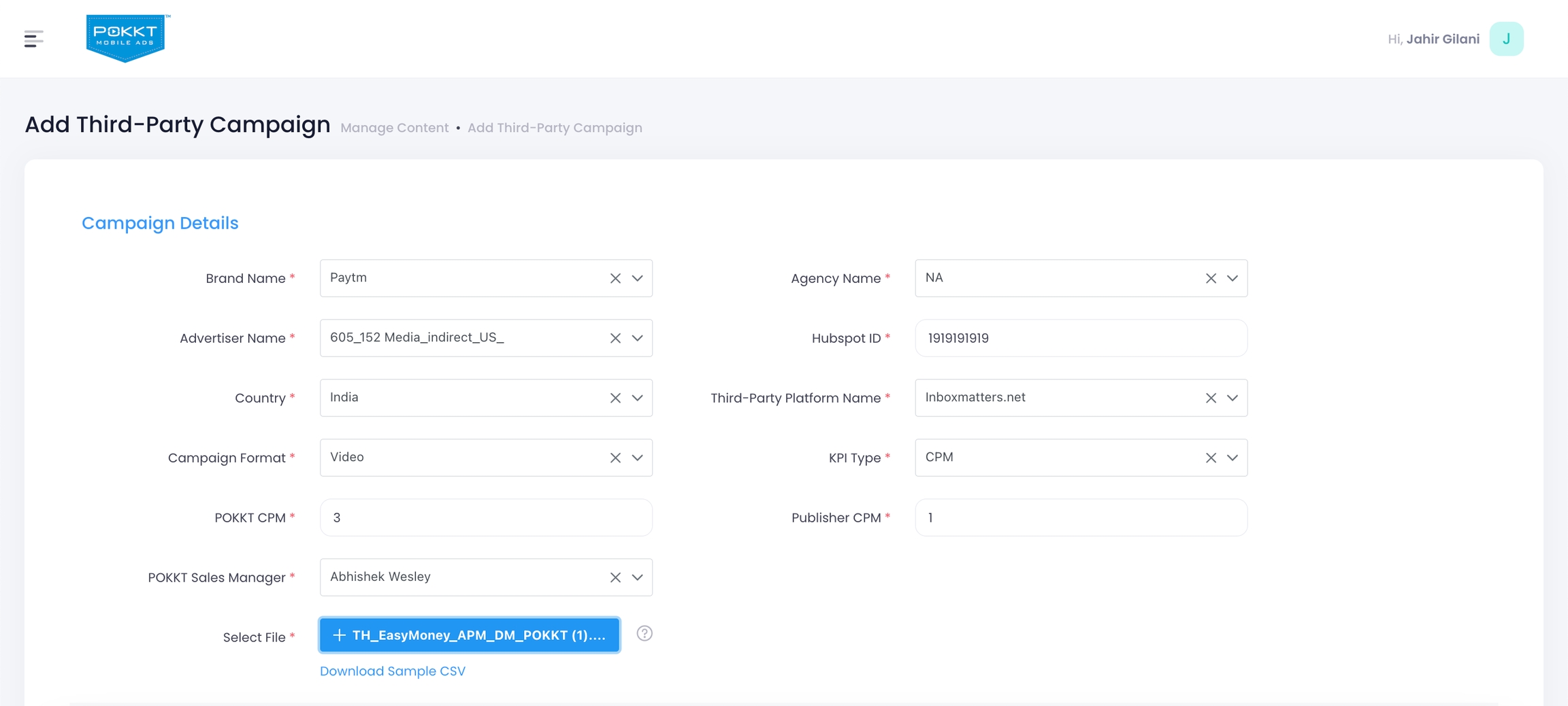
On the "Add Campaign details" page, update the metadata for the campaign and click on "Select file" button to select file.
-
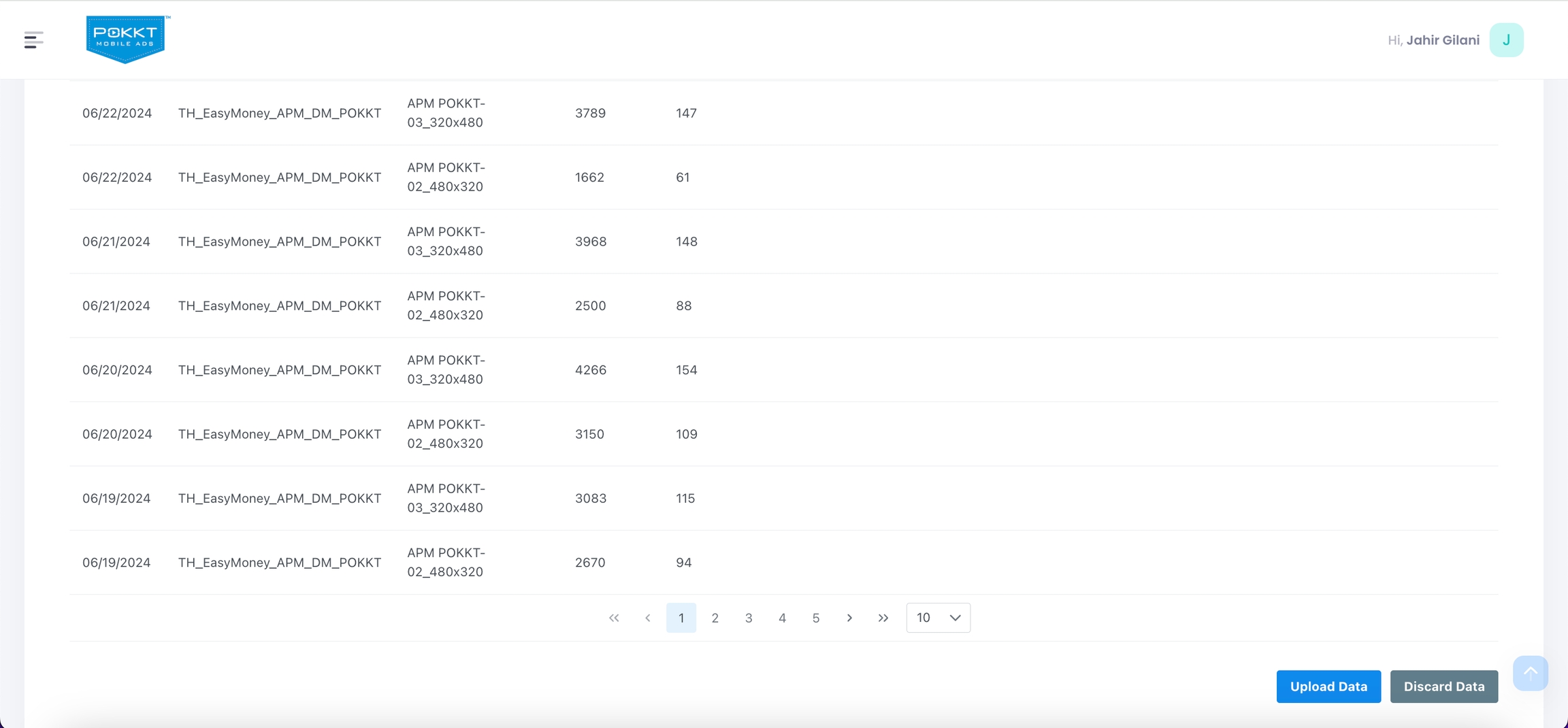
Once the file is uploaded and verified, the user can click on "Upload Data" button to upload the data and "Discard Data" button to discard the data.
-
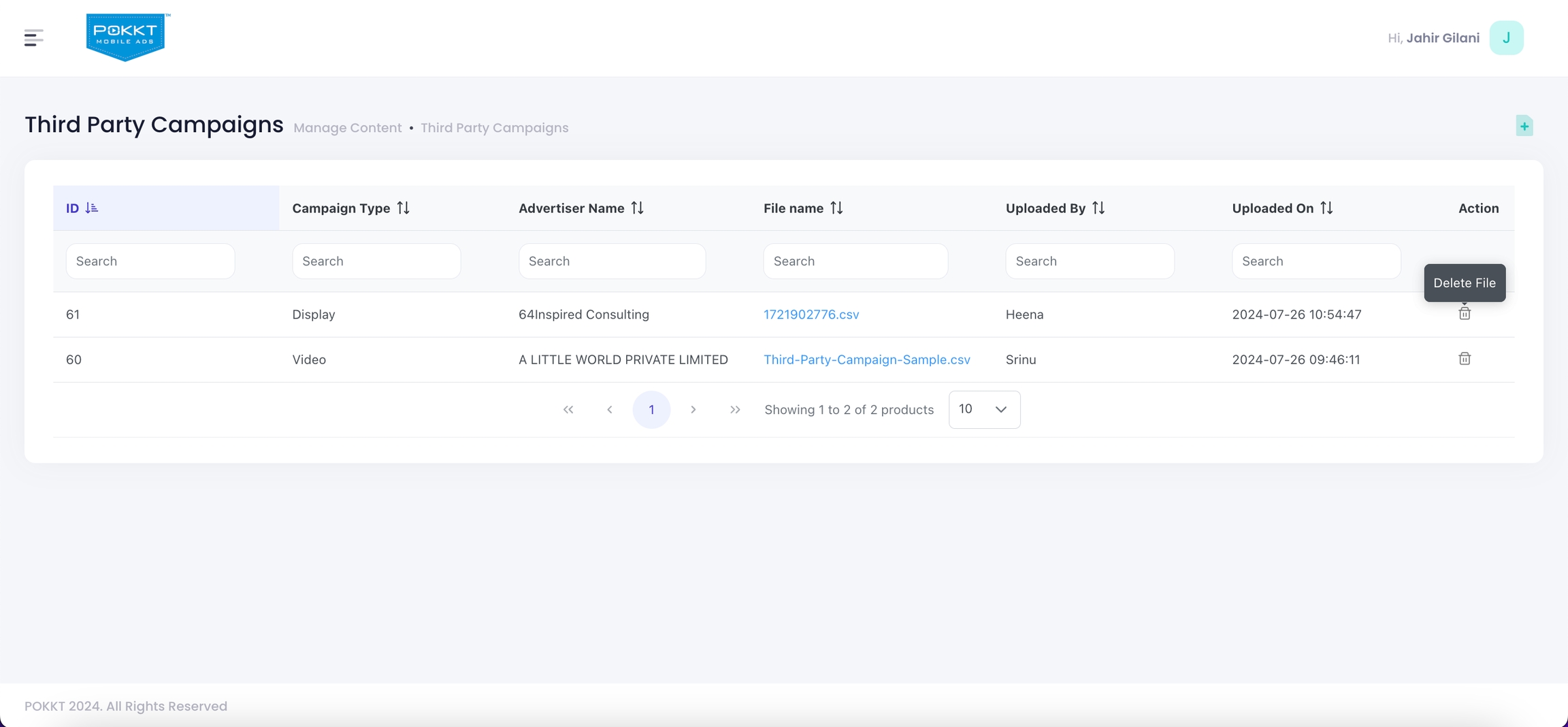
In case of any wrong uploads, the user can delete the uploaded data file from the manage third party campaigns page by clicking on the delete icon button.
-
The user can view the data for the uploaded third-party campaigns from the following reports in the reporting section,
-
Delivery Report
-
Campaign Report
-
Third Party Campaign Report
-
Publisher Admin Dashboard Report
-